On your screen
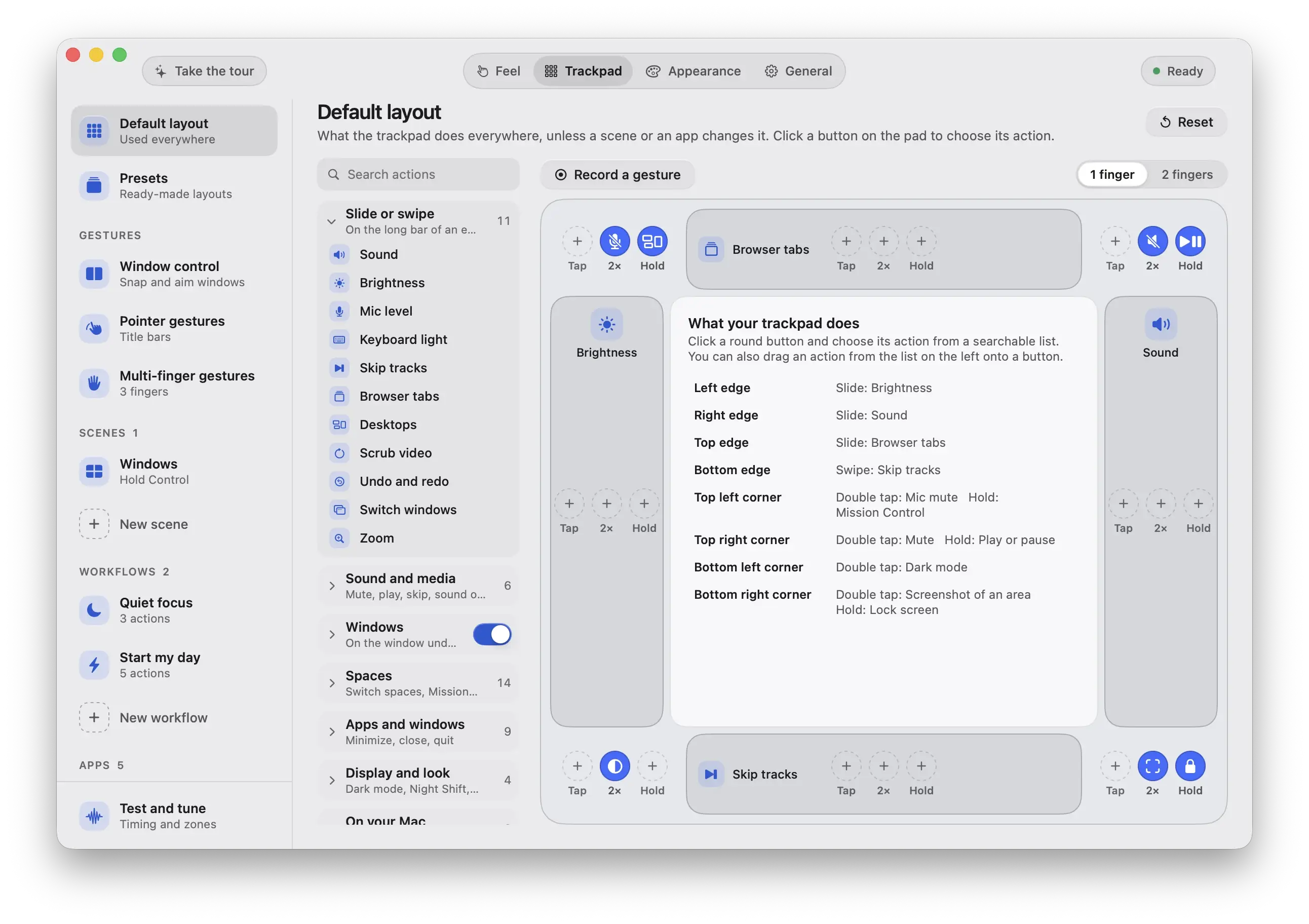
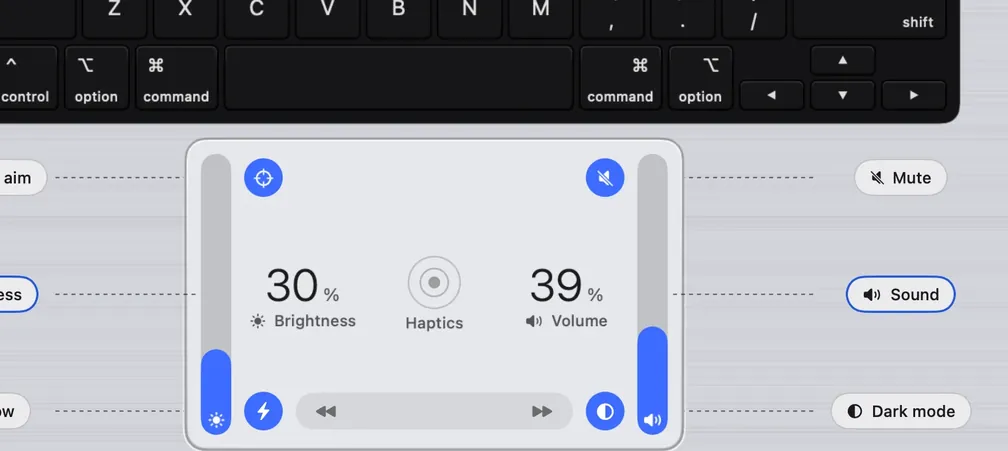
Every place on the pad is a button.
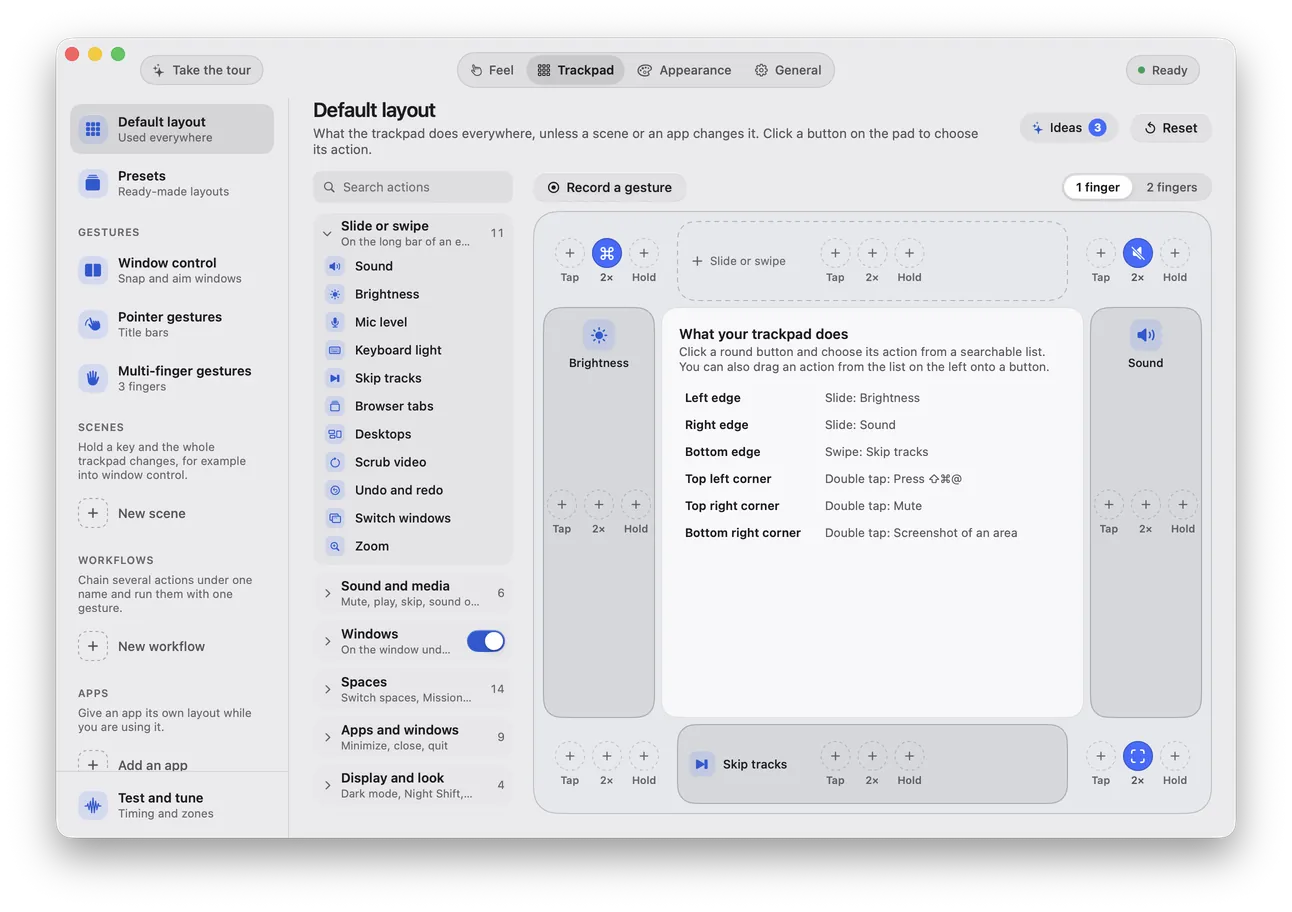
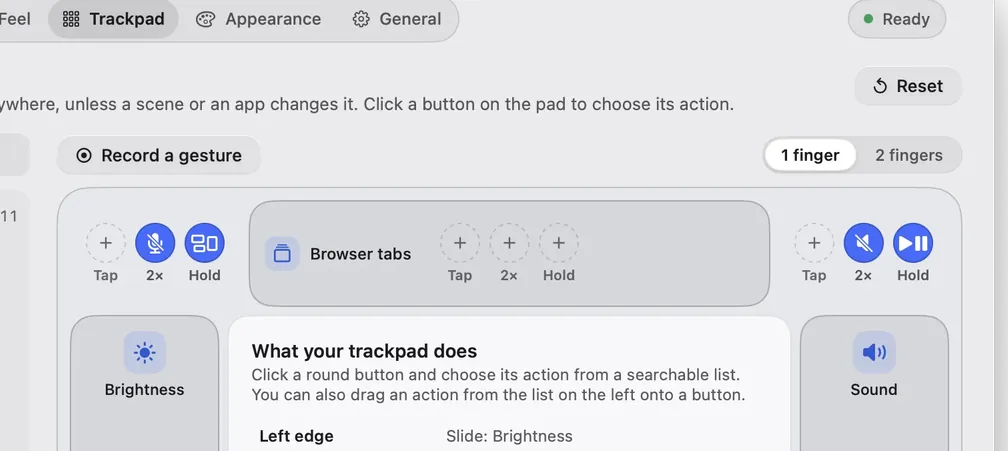
Click a zone, pick what it does. The table, the screen and the sound all follow.
Slide. Tap. Hold.
Slide an edge for volume. Tap a corner to mute. Hold to snap a window. All on the trackpad you already have.
3 day free trial, no card. Then $9 once. macOS 13 Ventura or later.
Now playing
Slow EdgeRimline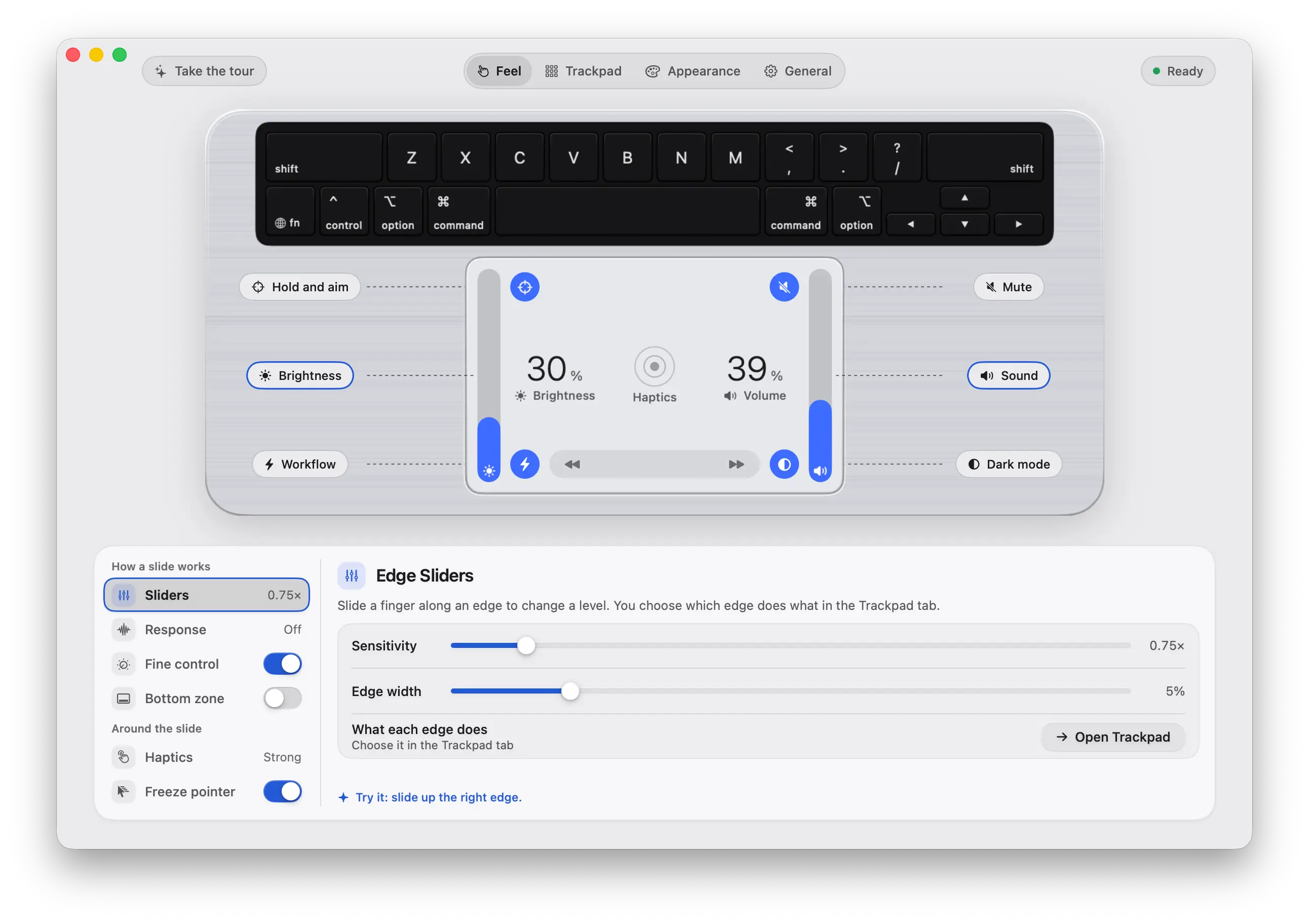
Slide the right edge. The volume follows your finger.
Every place on the trackpad is a button, and every setting is one click away.
On your screen
Click a zone, pick what it does. The table, the screen and the sound all follow.
One click re-lays the whole pad, and your screen follows. Make your own and keep it.
All ten setups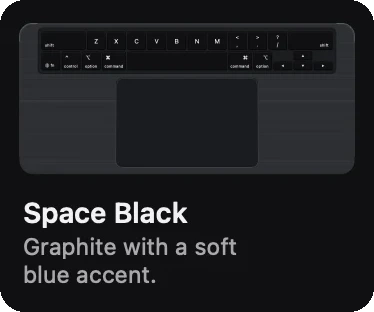
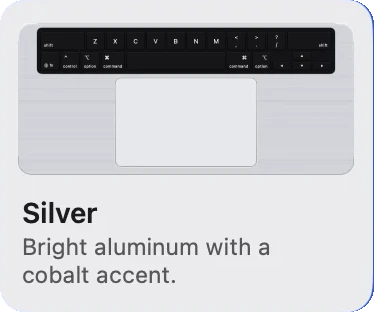
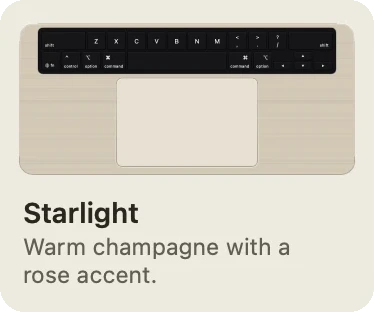
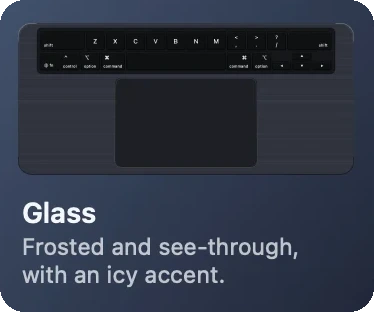
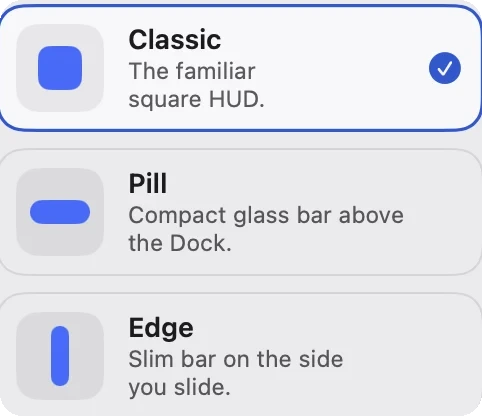
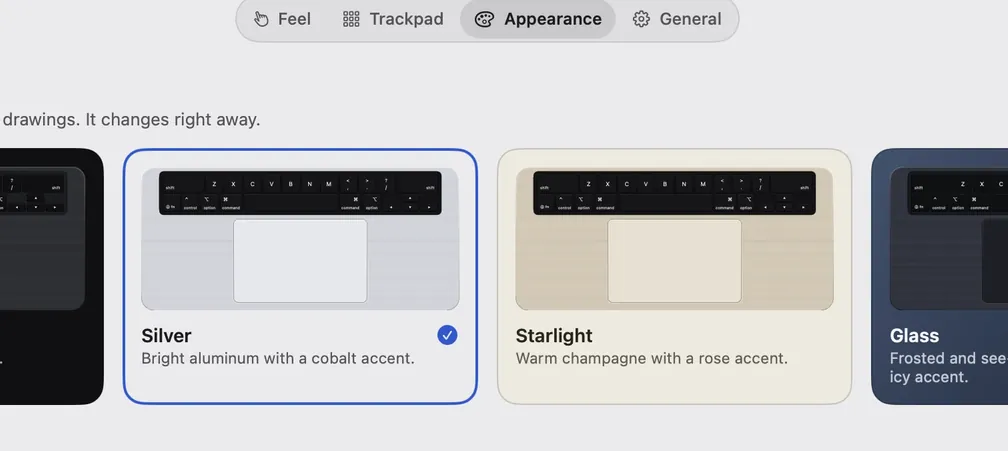
Pick a look and every control follows it, the HUD included.
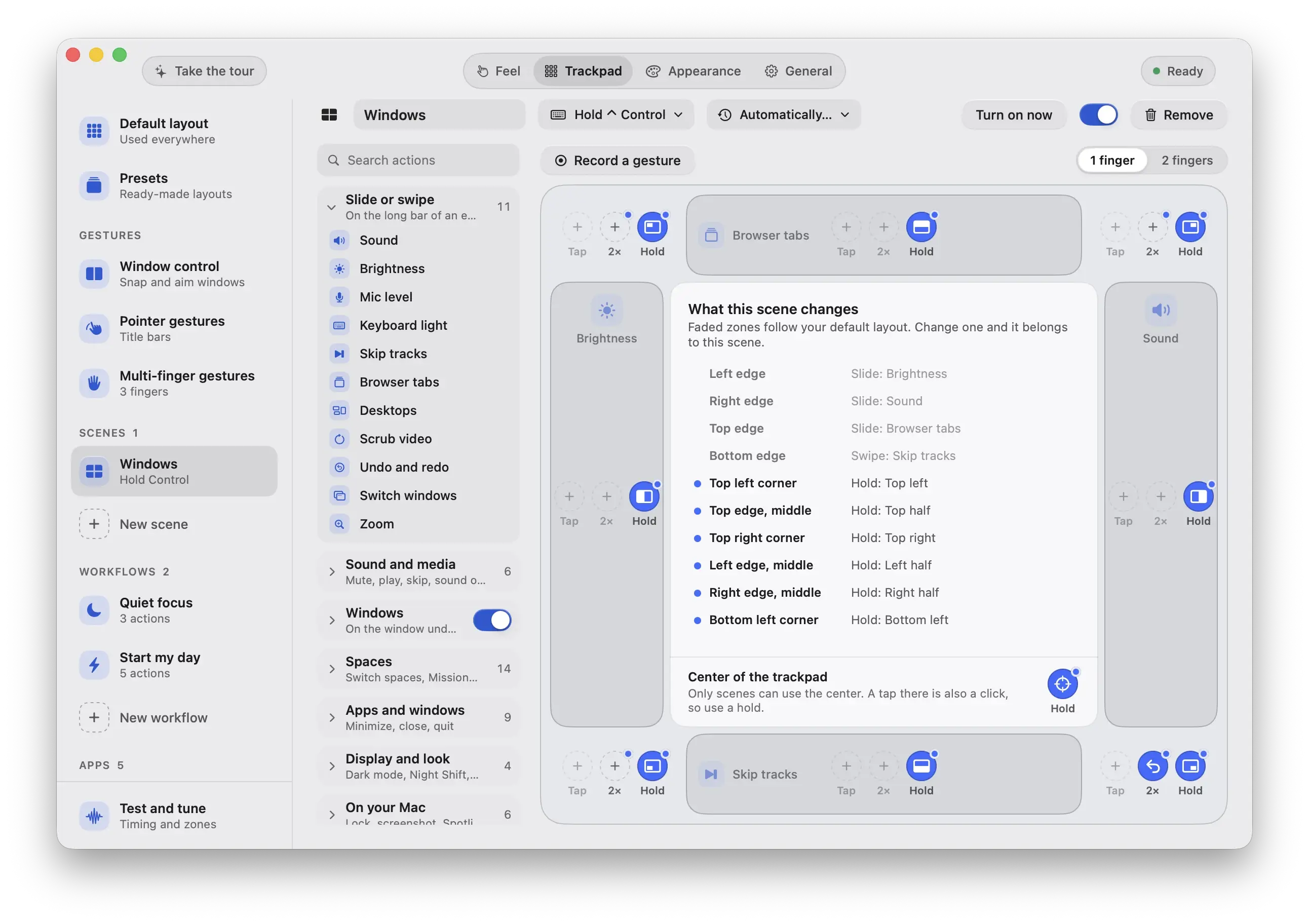
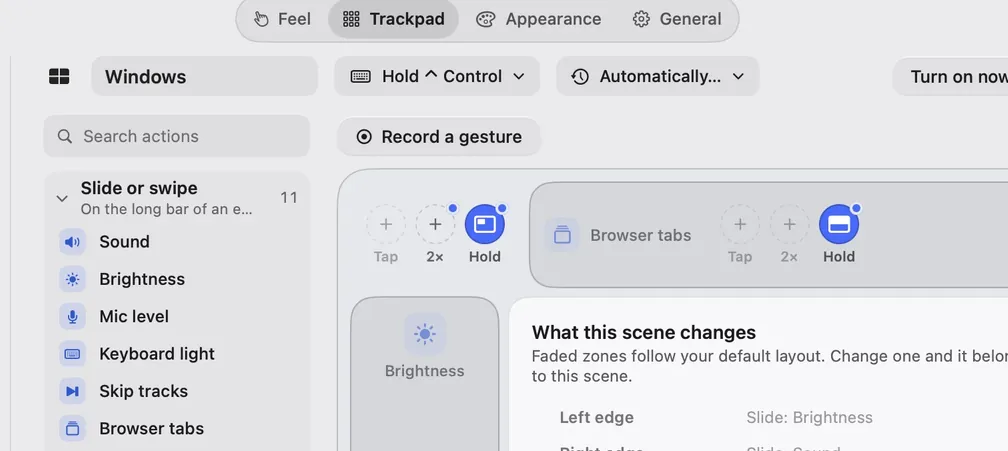
Hold a key, change app, step to another desktop: the pad rearranges and the screen answers.
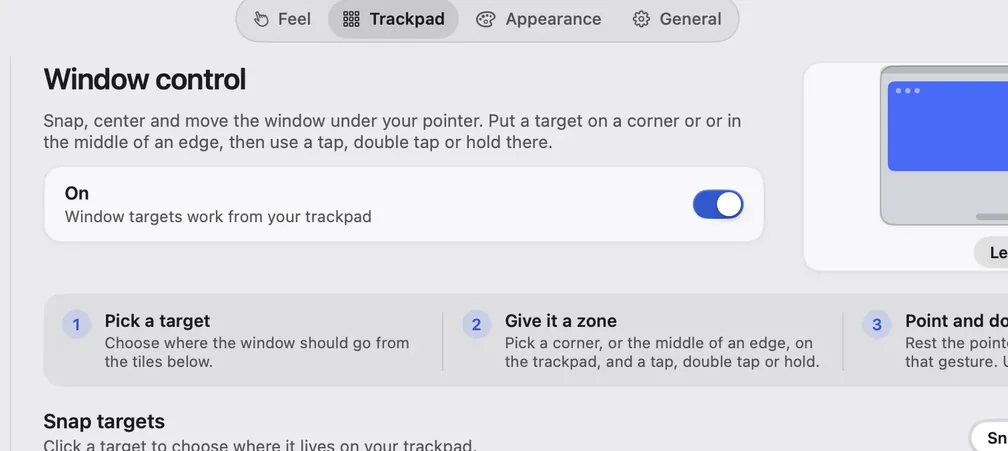
Hold Control and the edges become window buttons. Or let the app, headphones, display, time or power pick one.
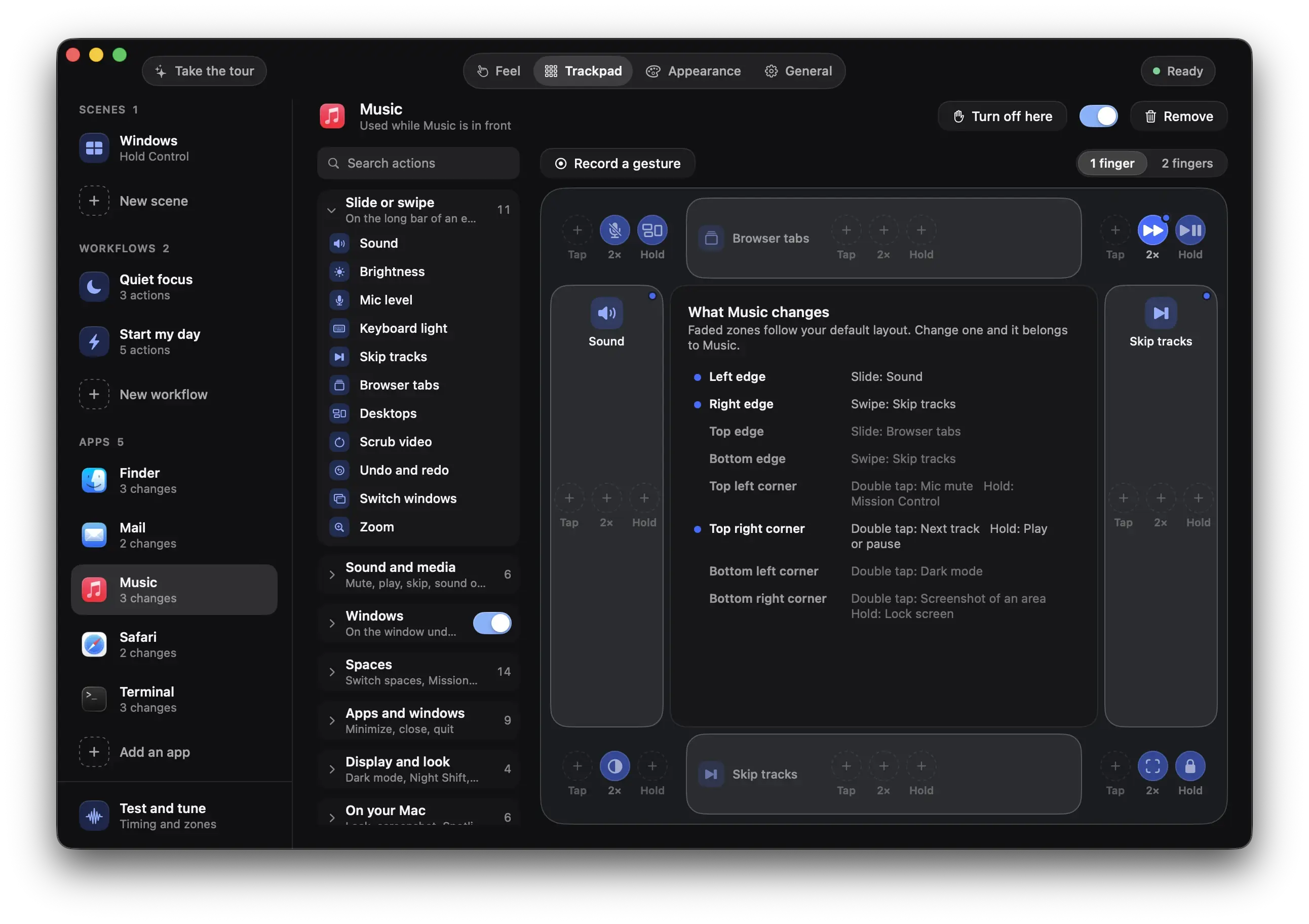
Click an app in the Dock and the pad changes with it.
Each notch is one step, with a tick you can feel.
Hold a corner of the trackpad, slide toward a tile, and the window lands there.
Hold a corner, slide toward a tile, lift. The window lands in its half or quarter.
See window controlChain actions, record a gesture, or take a suggestion.
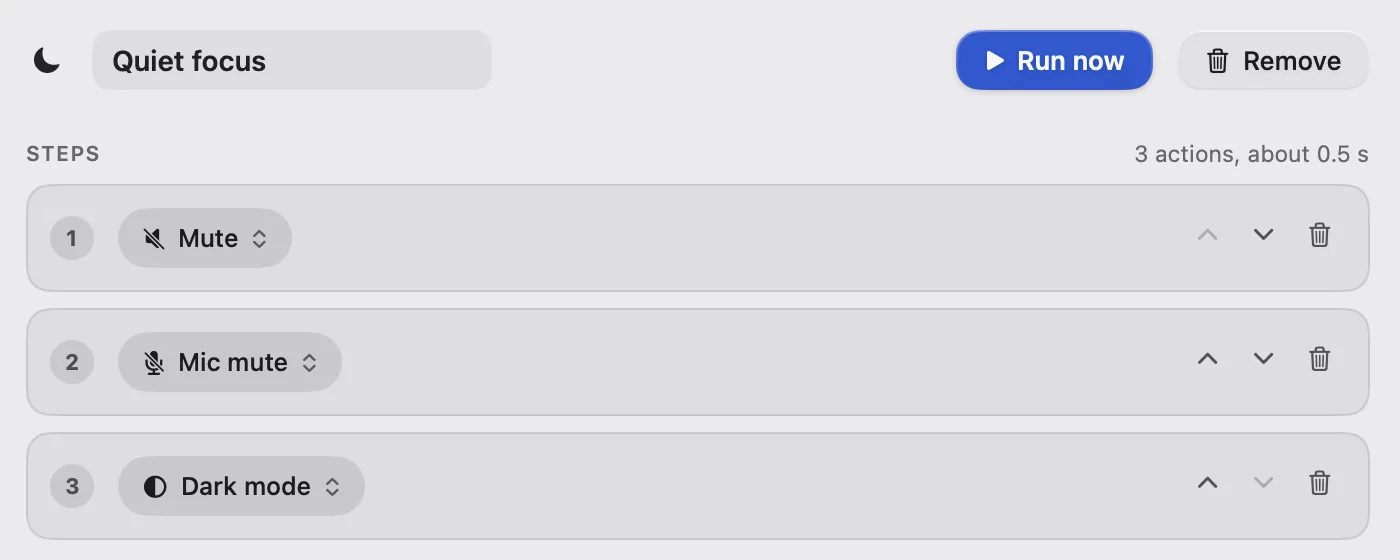 Open Mail
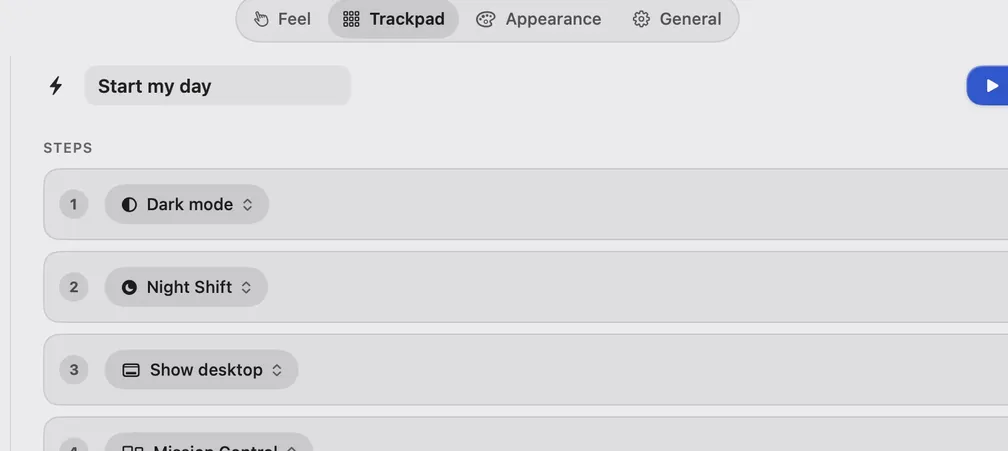
Mute, mic off, dark mode, open Mail. One double tap runs the lot.
Show Rimline once, or accept a suggestion made from the apps on this Mac.
It pauses when it should, and it never sends your touches anywhere.

A resting palm does nothing while you type. The pad wakes 0.6 s after your last key.

In a game or a full-screen app Rimline steps aside, and the menu bar icon dims.
Draws your fingers and names every gesture on screen, for videos and talks.
Rimline never will
Your touches never leave this Mac. The app reaches the network only to check a license with Polar, and for updates if you turn that on.
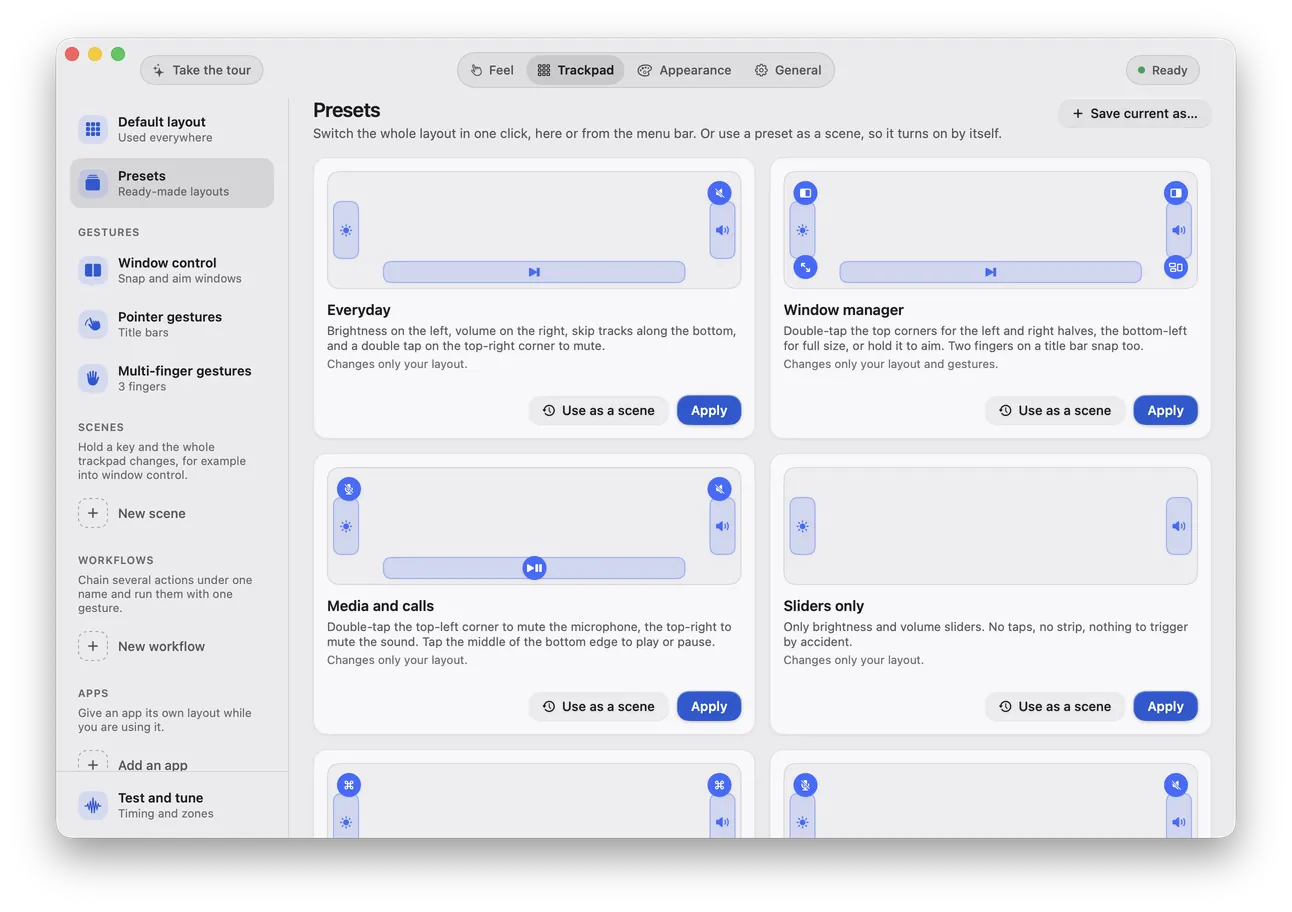
Drop a .rimline file on Rimline and the whole layout changes.
Each has its own page with the same live demos and the exact steps in the app.
One icon in the menu bar. Click it, then try the corners, the edges, the media strip and Pause.
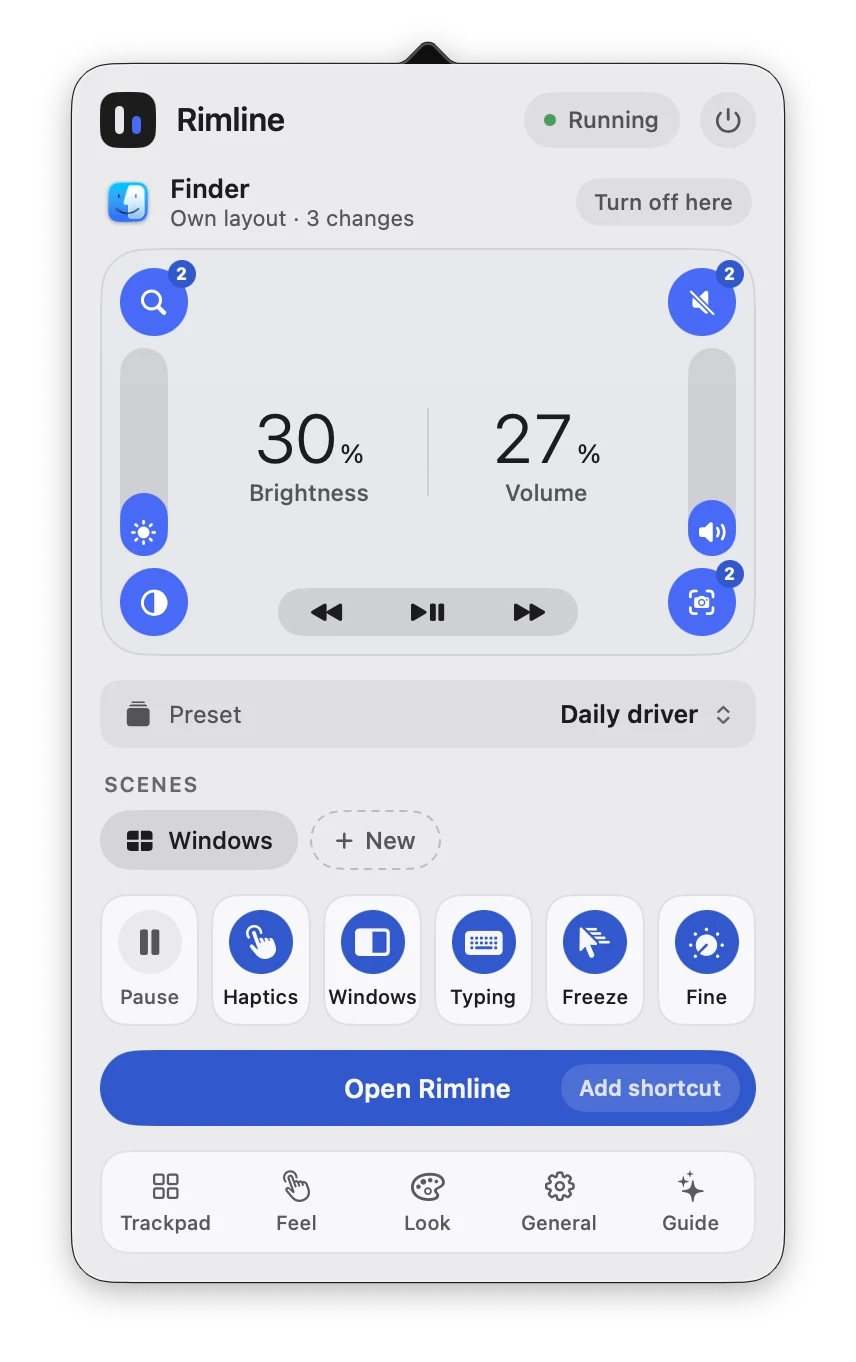
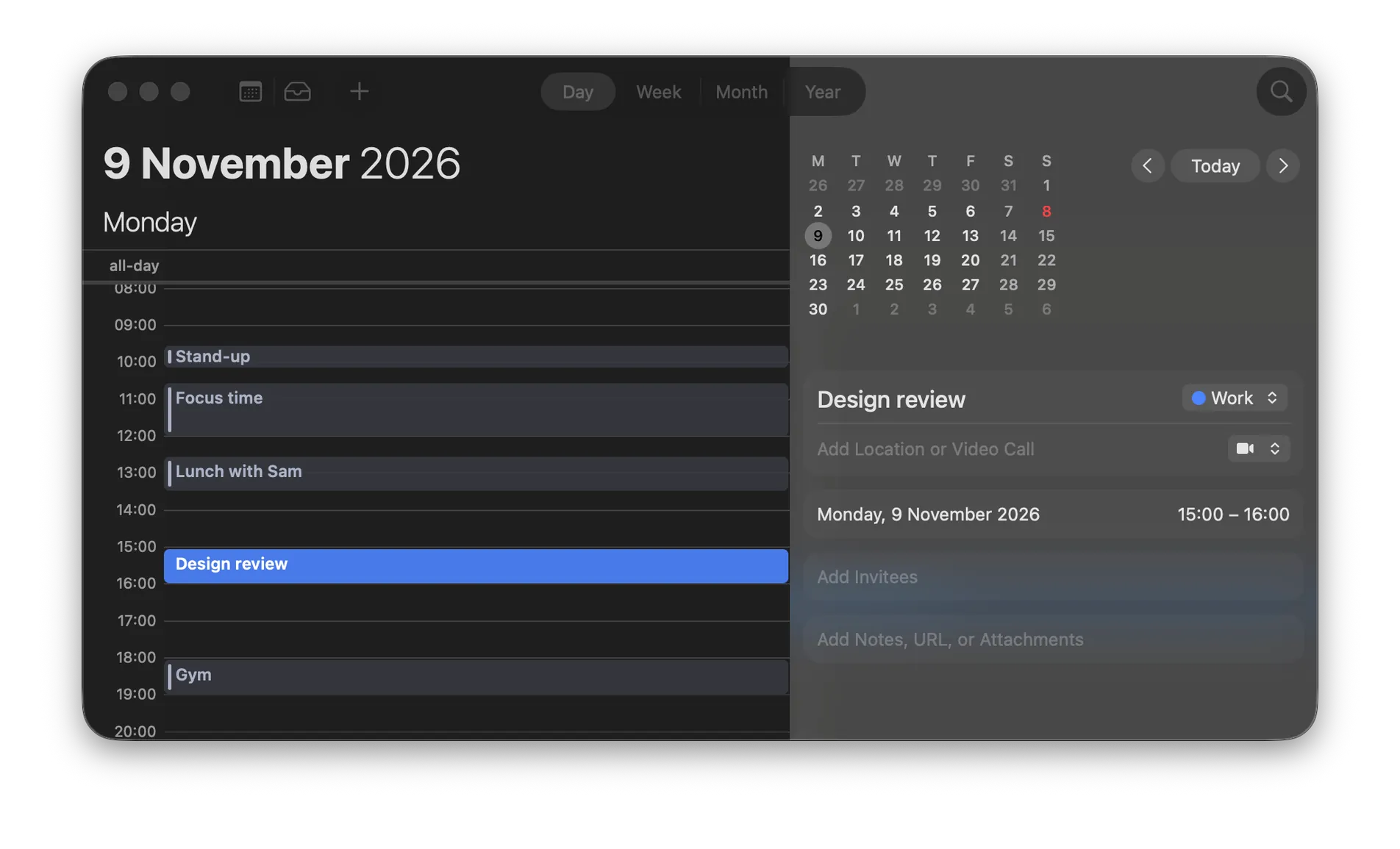
A click in the popover runs a corner's first action. On your trackpad it is the gesture named in the caption. The numbers and switches in the picture stay as they were captured.
Install it, allow one switch, slide an edge. That is the whole setup.
1Install
Open the disk image and drop Rimline in. 28 MB, for macOS 13 Ventura or later, Apple silicon and Intel.
2Allow
One switch in Privacy & Security. Rimline needs it to read touches on the trackpad and to move windows.
System SettingsPrivacy & SecurityAccessibility
3Slide
Run a finger up the right edge. The volume follows it, and the setup window walks you through it.
Ready, as soon as you grant it
Not notarized yet, so macOS asks once: Open Anyway.See the first launch
Rimline answers links and runs Shortcuts and chains of actions, so the rest of your Mac can ask it for something.
A Shortcut, a launcher, a script or one of your own gestures can open a page, pause Rimline or run a workflow with a link.
rimline://open/trackpad Opens the Trackpad pagerimline://workflow/Quiet%20focus Runs the Quiet focus workflowIn Raycast, save a rimline:// link as a Quicklink.
Installed with Homebrew? brew upgrade --cask rimline updates it.
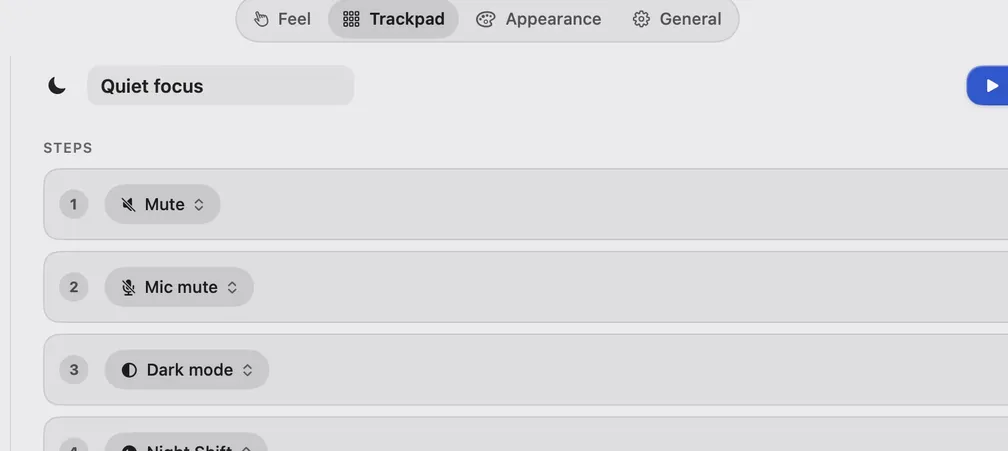
Add an Open URLs action with a rimline:// link. Quiet focus mutes the sound, mutes the mic and turns on dark mode.
A workflow is a named list of steps you build on the Trackpad page. Run it from a gesture, a link or Run now.
Alfred, Raycast and Shortcuts are trademarks of their owners. Rimline is not affiliated with them.
Every feature is on during the trial, and the one payment after it covers every update.
Free, with every feature on. No card, no account.
With every update after it.
Try all of it for three days. There is nothing to cancel.
A license covers 2 of your Macs.
Ask within two weeks and get your money back.
No subscription, and nothing to renew.
How the license works, the refund and the money questions. Pricing details
Short answers. The longer ones are in the docs.
Rimline is signed with a stable certificate, and each update is signed with its own key and checked before it installs. Notarization needs an Apple Developer ID, so for now macOS asks you to confirm once.
See the first launchApple silicon and Intel, on macOS 13 Ventura or later, with the built-in trackpad of a MacBook. Rimline was developed and tested on Apple silicon.
The Multi-finger page marks gestures that macOS also uses, and the editor shows a Heads up when two gestures collide. A hold is the clean choice, or turn the system gesture off in System Settings, Trackpad.
Read the troubleshootingThere is no account and no analytics in the app, and your touches never leave your Mac. It contacts Polar to activate and check a license, and the update check, which is off until you turn it on in General, asks GitHub once a day.
Read the privacy pageAccessibility, so it can read touches on the trackpad and move windows. Dark mode asks once to control System Events. It does not read your screen contents or what you type.
Not yet. Rimline works with the built-in trackpad of a MacBook. A separate Magic Trackpad with its own layout is planned, not supported today.
Rimline waits in your menu bar until you reach for the edge of your trackpad.
Join the waitlist3 day free trial, no card. Then $9 once. macOS 13 Ventura or later.The pad has seven places. Slide the left edge for brightness and the right edge for volume. Swipe the bottom edge to skip tracks. Double tap a corner to run a shortcut, mute, mute the microphone or take a screenshot.
One email when Rimline opens for download. Nothing else.
We keep your address, the date and the page you signed up from, and nothing else. How to be removed.
 Shortcuts
 Alfred
 Raycast
 Scripts